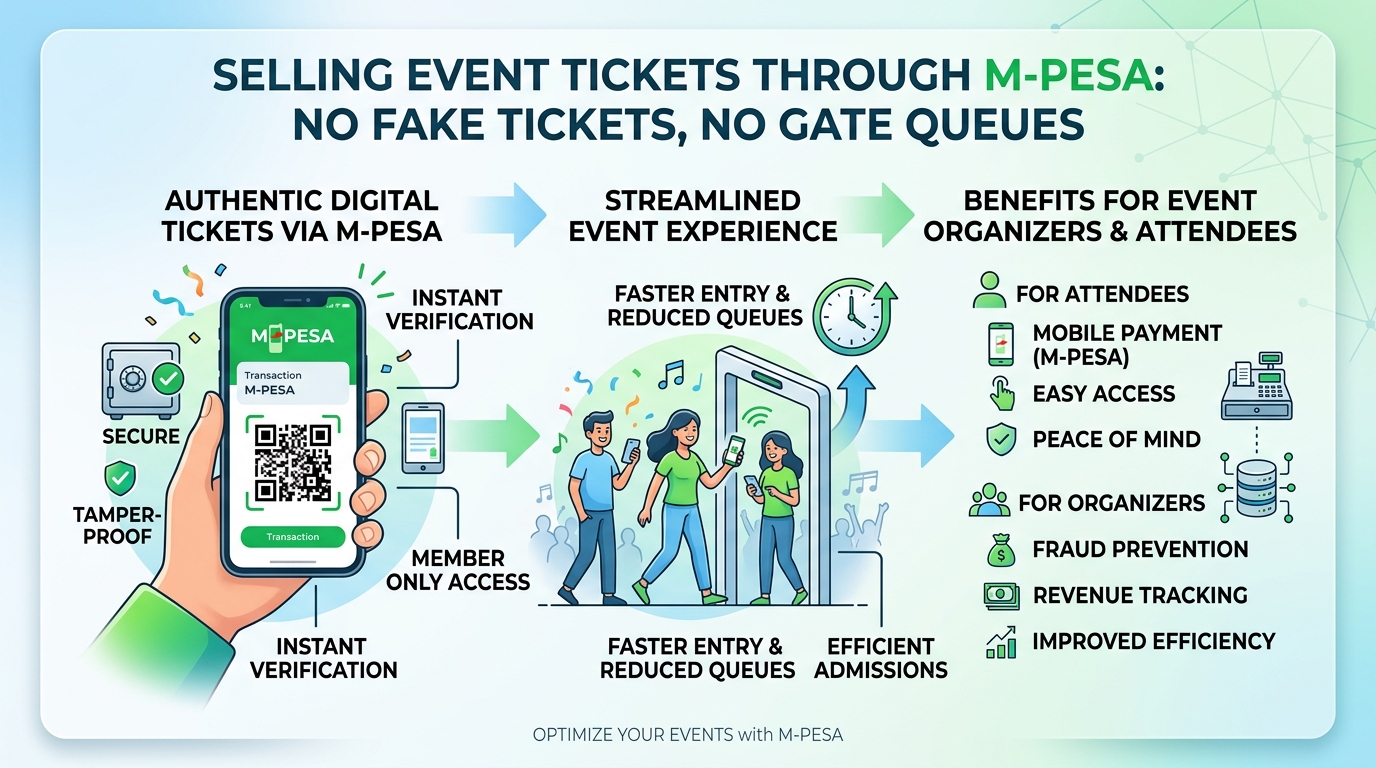
Most event organisers in Kenya know this pattern. Ticket sales go well and the posters are everywhere. Then on the day, the gate becomes a bottleneck. Staff scroll through M-Pesa messages, guests wave screenshots that may or may not be real, and a few people turn up holding the same ticket. Afterwards, someone spends days matching payments to names in a spreadsheet that never quite balances.
None of this is about bad planning. It happens because ticket sales, payment confirmation and entry checks are handled by different people using different tools, with no shared record. This post explains where the process usually breaks and what a proper event ticketing system changes. It applies whether you run concerts, conferences, church fundraisers, school events, sports tournaments or corporate functions.
Where manual ticketing goes wrong
Payment confirmed by screenshot
When guests pay to a till, paybill or personal number and then send a screenshot as proof, every confirmation depends on someone checking it by hand. Screenshots are easy to edit or reuse. A busy volunteer at the gate has no reliable way to tell a genuine transaction from a doctored one, especially at night with a queue building behind them.
Tickets that can be copied
A ticket that is just a name on a list, or a generic image sent on WhatsApp, can be shared with friends. If nothing marks a ticket as used the moment it is scanned, the same ticket can get several people through different gates, or through the same gate at different times.
The gate becomes the slowest point
Looking up names on printed lists, checking phone numbers against messages and handling disputes all take time. Guests arriving close to start time make it worse. Long queues are the part of your event attendees remember, and they reflect badly on your brand and your sponsors.
Reconciliation after the event
Once the event is over, you need to know how much was collected, through which channel, for which ticket type, and who received complimentary passes. Cash at the gate, M-Pesa, bank transfers and sponsor allocations all end up in separate places. Pulling them together is slow, and gaps are hard to explain to partners, committees or auditors.
No usable attendee data
When tickets are sold informally, you often finish an event without a clean list of who attended. That means no easy way to send a thank-you message, announce the next event or understand which ticket tiers sold best.
What a proper ticketing system changes
A well-built event management platform connects selling, paying, issuing and checking in, so each step updates the same record. These are the parts that matter most.
Payments confirmed by the system, not by people
With M-Pesa integrated directly, the guest picks a ticket, enters their phone number and gets a payment prompt on their phone. When the payment goes through, the system receives confirmation automatically and only then issues the ticket. Nobody has to read a message or judge a screenshot. Card payments can be handled the same way for guests who prefer them.
Unique tickets that can only be used once
Each ticket gets its own QR code linked to a single record, sent by SMS and email straight after payment. At the gate, scanning the code marks it as used. If someone tries the same code again, the scanner shows that it has already been admitted, along with the time and the gate. Copying a ticket stops being useful.
Fast check-in, even with weak network
Gate staff can scan tickets with an ordinary smartphone. A good system lets the scanning app keep working when the venue connection is poor, then syncs with the other gates once the signal returns. Several entrances can run at once, and supervisors can see live how many people are inside.
Flexible ticket types
Real events rarely have one price. You might need early-bird tickets, VIP and regular tiers, group or table bookings, student rates, or free passes for sponsors, media and speakers. The system should handle all of these, including closing a tier automatically when it sells out or when a deadline passes.
A live sales dashboard
Organisers can see sales by ticket type, payment channel and date as they happen. That helps you decide when to push marketing, whether to open more seats or when to stop selling. After the event, the figures are already reconciled because every ticket is tied to a confirmed payment or a recorded complimentary allocation.
Direct communication with attendees
With integrated bulk SMS, you can send reminders the day before, share directions or parking information, warn about schedule changes and thank guests afterwards. Because the attendee list is built from real ticket holders, you keep a contact base you can use for future events, subject to the consent you collected at purchase.
Questions to ask before choosing a ticketing solution
Whether you use an existing platform or commission something of your own, these questions help separate a solution that will hold up on event day from one that only looks good in a demo.
- Where does the money go? Does the payment land in your own paybill or till, or does a third party hold it and pay you later?
- How are payments confirmed? Is confirmation automatic, or does someone still have to check it manually?
- What happens offline? Can gate staff keep scanning if the network drops?
- Can it handle your ticket structure? Tiers, groups, complimentary passes and deadlines should not need workarounds.
- Who owns the attendee data? You should be able to export your guest list and use it for future events.
- What reports do you get? Check that the end-of-event summary is something your finance team or committee can actually use.
- How are refunds and transfers handled? Guests sometimes need to cancel or pass a ticket on, and the system should record this cleanly.
Ready-made platform or something built for you?
For many organisers, a ready-made event management platform with M-Pesa, QR tickets and SMS already built in is the quickest route. It can be set up for your event and branded as your own without starting from nothing.
Some situations call for more. Recurring events with membership or season passes, multi-day conferences with session registration, accreditation for staff and vendors, or ticketing that has to link to an existing CRM or finance system are good examples. In those cases, a custom build or a tailored version of an existing platform usually fits better than bending a generic tool to your process.
Talk to Glomex about your next event
At Glomex Technologies we build event management and ticketing systems with M-Pesa payments, QR check-in and bulk SMS working together, and we can adapt them to how your events actually run. Whether you organise one big event a year or something every weekend, we are happy to look at how you sell and check tickets today and suggest a practical way forward. Get in touch and tell us about your next event.
Share this post
Know someone who'd enjoy reading Selling Event Tickets Through M-Pesa Without Fake Tickets or Gate Queues?